Sidebar
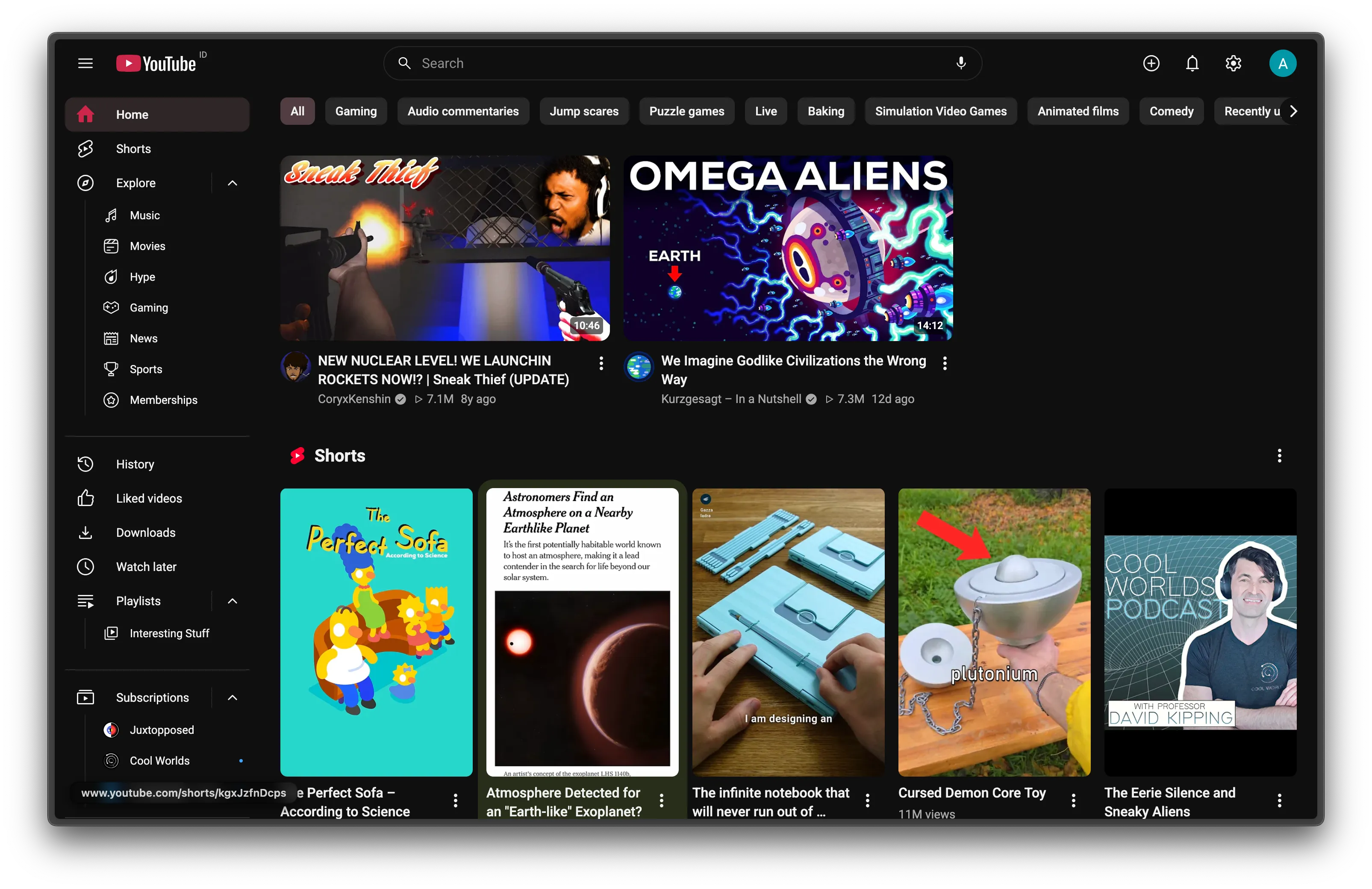
The sidebar becomes three short groups:
- Home, Shorts, Explore
- History, Liked videos, Downloads, Watch later, Playlists
- Subscriptions
Explore, Playlists and Subscriptions are dropdowns. Their children sit one step in, under a thin guide line. Channels with new uploads get YouTube’s blue dot, and so does the closed Subscriptions row.
At the bottom, the Google LLC line opens More from YouTube (Music, Kids) and the footer links.
Settings
Section titled “Settings”The switch is Navigation → Redesigned sidebar. Its options are Hide “You”, Hide “Your channel”, Hide “Your videos” and Hide “Courses”, all on by default.
The collapsed sidebar
Section titled “The collapsed sidebar”Under 1312px, or after you click the menu button, YouTube shows a narrow icon rail. Kempt draws the same groups there as icons only. Explore in the rail opens the full sidebar with Explore expanded.
How it works
Section titled “How it works”YouTube builds its sidebar from data on the ytd-guide-renderer element. Kempt’s content script can’t read element data, so it asks the page bridge, which reads it in YouTube’s own page. If the page has no data yet, the bridge loads it with the same guide request YouTube sends. Kempt then renders its own block from that data and hides YouTube’s sections with CSS.
- Kempt works out the current page from the URL, so it stays right across YouTube’s in-page navigation.
- Dropdowns animate their height. Each list sits in a grid wrapper that goes from
grid-template-rows: 0frto1fr. Lists fill before they open, so the height animates to the real size. The arrow rotates instead of swapping icons. - Kempt remembers which dropdowns are open while the tab is open, so they stay open when YouTube redraws the sidebar. A reload closes them.
- Icons come from the icon set. Entries the set lacks use a hidden YouTube icon. Brand logos keep their colors.
Limits
Section titled “Limits”- The new-uploads dot has no count. YouTube’s data only flags
NEW_CONTENT; counting would mean fetching every channel’s uploads.